
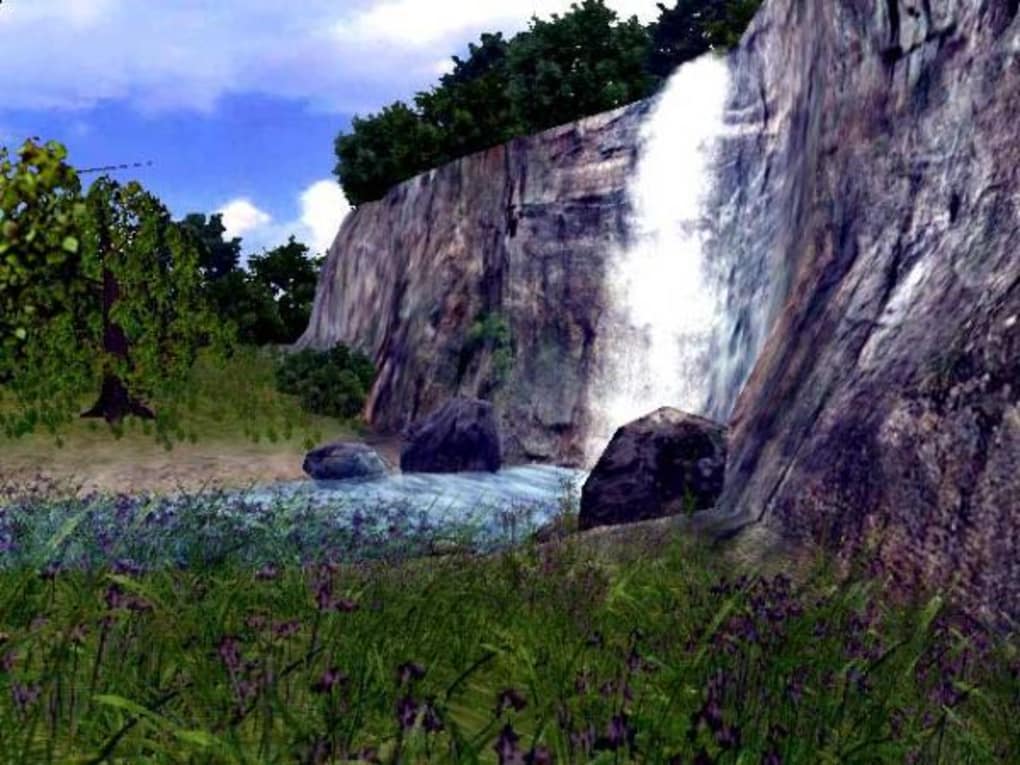


Download 3D Waterfall Screensaver – free 3D graphics screensaver for Windows
Overview
The 3D Waterfall Screensaver, developed by Playrix Entertainment, brings a mesmerizing cascade of water to any Windows desktop. First introduced in 2006, this lightweight desktop‑customization tool has attracted over 6,000 downloads and continues to be a favorite among users who enjoy high‑quality OpenGL visuals without sacrificing system performance. Designed for Windows 95 and later versions, the screensaver runs in English and offers a trial version that showcases the full visual fidelity of the waterfall animation.
Its modest file size makes it ideal for older machines or systems with limited storage, while still delivering crisp, fluid water motion that reacts to screen resolution changes. The software is categorized under “Desktop customization → Screensavers (3D & OpenGL)”, positioning it alongside other visual enhancement tools that transform idle moments into an immersive experience. Whether you’re looking to add a soothing backdrop while your PC is idle, or you simply appreciate realistic 3D graphics, this screensaver provides a free, secure way to personalize your desktop.
Updates are infrequent— the last patch (v1.0) was released on January 27 2006— but the core engine remains stable, meaning you can install it today and expect it to work reliably on compatible Windows platforms. Its popularity in regions such as Pakistan demonstrates a broad appeal, and the simple installation process means even non‑technical users can enjoy the waterfall effect within minutes of download. In the sections that follow we’ll explore its key features, walk through the installation steps, discuss compatibility, and weigh the pros and cons so you can decide if this free tool fits your desktop aesthetic.
Key Features
- Real‑time 3D water simulation powered by OpenGL for smooth animation.
- Adaptive resolution support – the waterfall scales to any screen size.
- Lightweight footprint – less than 2 MB, perfect for older PCs.
- Customizable display time – set when the screensaver activates.
- Low CPU usage – runs quietly in the background without slowing other tasks.
- Free trial version – full visual experience without hidden fees.
- Secure download from Playrix Entertainment’s official site.
- English language interface with clear installation prompts.
The feature set of the 3D Waterfall Screensaver is intentionally focused on visual impact and system efficiency. By leveraging OpenGL, the application renders realistic water physics, including ripples and reflections that respond to the monitor’s refresh rate. The adaptive resolution feature means you won’t need to manually edit configuration files; the screensaver automatically detects the current desktop resolution and adjusts the waterfall’s dimensions accordingly.
This is particularly useful for users who switch between laptops and external monitors. Despite the sophisticated graphics, the program stays under 2 MB, making it an excellent choice for machines with limited hard‑drive space or older hardware that cannot handle modern, resource‑intensive screensavers. Users can also define a custom idle timeout, ensuring the waterfall appears only when the computer has truly been left unattended, preserving battery life on laptops.
The low CPU usage claim is backed by community feedback: many users report the screensaver consumes less than 5 % of a single core on a typical desktop, allowing other applications to run uninterrupted. Finally, the free trial version removes any cost barrier, letting you evaluate the visual quality before deciding whether to seek a full version or explore alternative screensavers. These features combine to make the 3D Waterfall Screensaver a practical, aesthetically pleasing addition to any Windows desktop.
Installation & Usage Guide
Getting the 3D Waterfall Screensaver up and running is a straightforward process that takes under five minutes, even for users with limited technical knowledge. Begin by visiting the official Playrix Entertainment download page and clicking the “Download” button. The file arrives as a compressed .zip archive; extract its contents to a folder of your choice, preferably on the desktop for easy access.
Inside you’ll find an installer named WaterfallSetup.exe. Double‑click the installer, and Windows User Account Control (UAC) may prompt you to confirm the action— click “Yes” to proceed. The setup wizard guides you through the typical steps: accept the End‑User License Agreement, choose an installation directory (the default C:\Program Files\Playrix\3DWaterfall is recommended), and click “Install”.
Once installation finishes, you’ll see a confirmation screen and an option to launch the configuration panel immediately.
The configuration panel allows you to fine‑tune the screensaver behavior. Under the “General” tab you can set the idle time before activation (e.g., 5 minutes) and choose whether the screensaver should run on battery power. The “Display” tab offers options for screen resolution handling and whether to enable “Smooth Water” for higher visual fidelity at the cost of a slight CPU increase.
After adjusting settings, click “Apply” and then “OK”. To test the screensaver, right‑click the desktop, select “Personalize”, navigate to “Lock screen” → “Screen saver settings”, and choose “3D Waterfall” from the dropdown list. Press the “Preview” button to see the waterfall in action.
If everything looks good, click “Save”. The screensaver will now activate automatically after the specified idle period, delivering a calming cascade whenever you step away from your computer. For those who prefer manual activation, you can also assign a keyboard shortcut by creating a desktop shortcut to the .scr file located in the installation folder and adding the shortcut to your startup items.
Compatibility, Pros & Cons
The 3D Waterfall Screensaver is officially supported on Windows 95, Windows 98, Windows ME, Windows 2000, Windows XP, and later versions up to Windows 10. Because the software relies on the legacy OpenGL 1.1 API, it runs smoothly on most graphics cards released after the early 2000s, including integrated Intel HD graphics and dedicated NVIDIA or AMD adapters. Users on newer Windows 11 installations may still run the screensaver, though occasional compatibility warnings can appear due to the older installer framework; these can be bypassed by running the installer in compatibility mode for Windows XP. The application does not support macOS, Linux, Android, or iOS, as it is built exclusively for the Windows desktop environment.
Pros
- High‑quality 3D water animation with realistic lighting.
- Very low system resource consumption.
- Simple, wizard‑driven installation.
- Free trial version with no hidden fees.
- Works on a wide range of Windows versions, including older systems.
Cons
- Lacks advanced customization (no color or texture changes).
- No official support for macOS, Linux, or mobile platforms.
- Last update was in 2006, so modern UI integrations are missing.
- Only a single visual theme – the waterfall – without additional scenes.
- Installation may trigger UAC prompts on newer Windows versions.
FAQ
Is the 3D Waterfall Screensaver safe to download?
Yes. The screensaver is distributed by Playrix Entertainment, a reputable developer. Download it directly from their official site to avoid bundled adware or malware.
Can I use the screensaver on Windows 11?
While the software was designed for Windows 95‑10, it generally works on Windows 11 when run in compatibility mode for Windows XP. Some users report occasional warning dialogs, but the visual output remains intact.
Does the free trial have any limitations?
The trial version provides the full waterfall animation without time‑based restrictions. The only limitation is that you cannot access future updates or additional themes that may be released by the developer.
How much CPU and RAM does the screensaver consume?
Typical usage is under 5 % of a single CPU core and around 20‑30 MB of RAM, making it suitable for both modern PCs and older machines with limited resources.
Can I customize the speed of the waterfall?
The current version does not include a speed slider. The waterfall animation runs at a fixed rate optimized for smooth visuals. Users seeking speed control may need to look for alternative screensavers.
Conclusion & Call to Action
In summary, the 3D Waterfall Screensaver delivers a polished, visually appealing experience that is both lightweight and easy to install. Its OpenGL‑driven water simulation adds a touch of serenity to any Windows desktop, especially on older systems where modern graphics‑intensive screensavers might struggle. While the lack of recent updates and limited customization options could be seen as drawbacks, the core functionality remains solid and the free trial ensures you can evaluate the software without any financial commitment. If you value a simple, high‑quality visual that won’t hog system resources, this screensaver is a worthy addition to your desktop toolkit.
Ready to bring a cascading waterfall to your screen? Download the 3D Waterfall Screensaver now, follow the quick installation steps above, and enjoy a tranquil visual every time your PC goes idle. Enhance your workspace, reduce screen fatigue, and let the soothing flow of water keep your mind refreshed while you work or browse.







